
Best Seller Icon Bestseller

CERTIFICATE In TRAINING PROGRAM FOR CCC(S-CTPFC-3917)

  • Last updated Nov, 2026
  • Certified Course

Course Includes

  • Duration2 Months
  • Lectures60
  • Videos0
  • Notes0
  • CertificateYes

What you'll learn

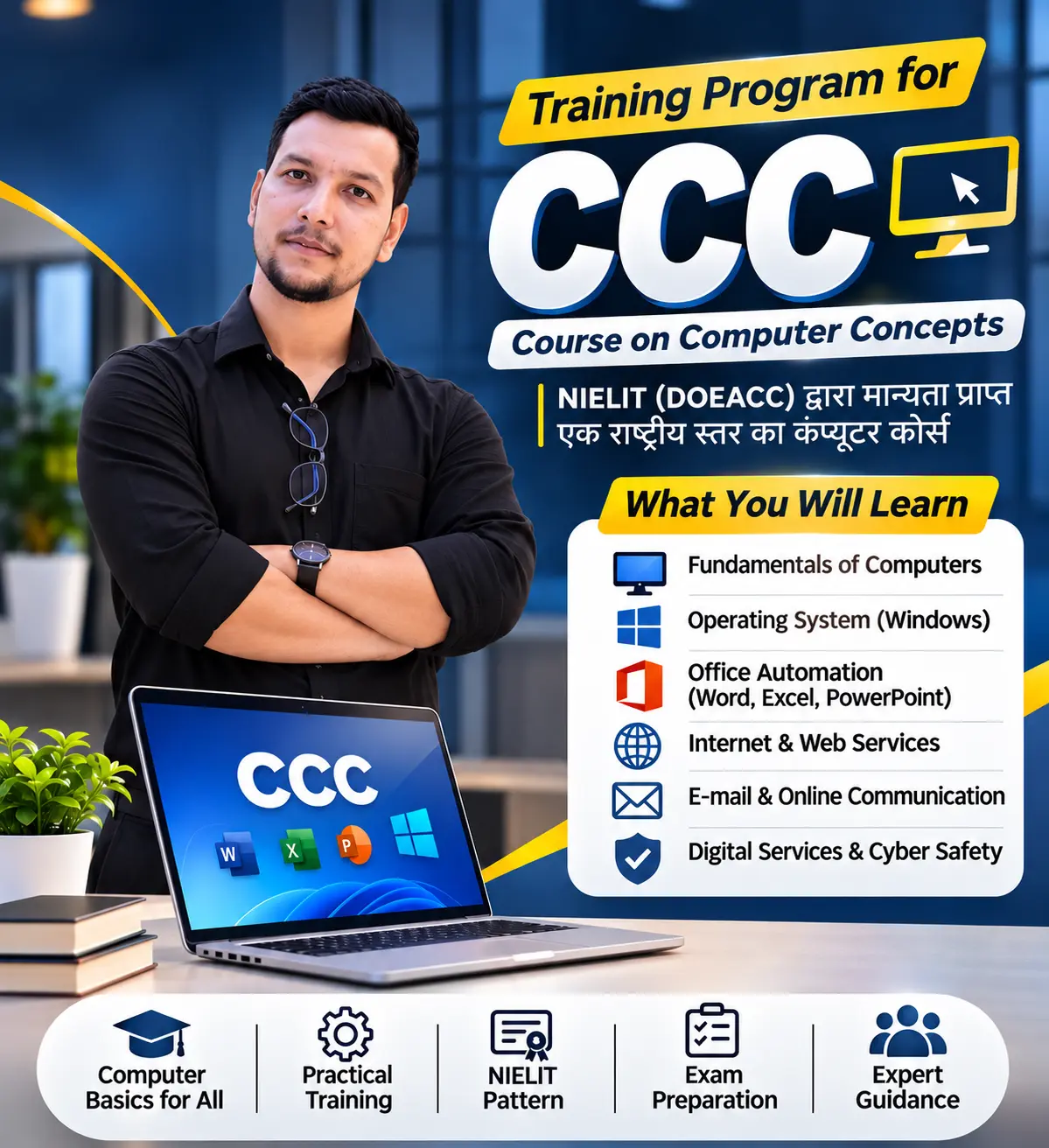
Build your computer skills and become digitally confident with our CCC (Course on Computer Concepts) Training Program!

Learn essential computer applications, office tools, internet services and digital skills through practical, easy-to-understand training. Prepare yourself for the CCC examination while developing the computer knowledge required for education, employment and everyday digital activities.

✨ What You Will Learn:

  • Fundamentals of Computers
  • Introduction to Operating Systems (Windows)
  • Microsoft Word
  • Microsoft Excel
  • Microsoft PowerPoint
  • Internet and Web Services
  • Email and Online Communication
  • Digital Payments and Online Services
  • Cyber Safety and Security
  • Practical Computer Applications

🚀 Why Join NLCI?

  • Practical Computer Training
  • CCC Exam Preparation
  • Experienced Faculty Guidance
  • Hands-on Learning
  • Computer Fundamentals from Basic Level
  • Exam-Oriented Practice

🎯 Who Can Join?

Students, job seekers, beginners, government job aspirants and anyone interested in improving their computer knowledge.

Start learning today and take your first step towards digital literacy with NLCI!

Show More

Course Syllabus

Total Duration: 90 Hours

Theory: 30 Hours

Practical: 60 Hours

Module 1: Introduction to Computers (6 Hours)

  • Introduction and Evolution of Computers
  • Types and Applications of Computers
  • Computer Hardware and Software
  • CPU, Input and Output Devices
  • Memory and Storage Devices
  • Application and System Software
  • Latest IT Gadgets and Mobile Applications

Module 2: Introduction to Operating Systems (7 Hours)

  • Introduction to Operating Systems
  • Windows Desktop Environment
  • Taskbar, Icons and Shortcuts
  • Managing Files and Folders
  • System Settings and Display Properties
  • Installing and Removing Applications
  • File Extensions and Printer Management

Module 3: Word Processing (12 Hours)

  • Introduction to Word Processing
  • Creating, Opening and Saving Documents
  • Text Editing and Formatting
  • Font, Paragraph and Page Formatting
  • Tables, Borders and Shading
  • Headers and Footers
  • Find and Replace
  • Spell Check and Grammar
  • Mail Merge
  • Printing and PDF Creation

Module 4: Spreadsheet (12 Hours)

  • Introduction to Spreadsheets
  • Rows, Columns and Cell Addresses
  • Data Entry and Formatting
  • Inserting and Deleting Rows and Columns
  • Formulas and Basic Calculations
  • SUM, COUNT, MAX, MIN and AVERAGE
  • Sorting and Filtering
  • AutoFill and Freeze Panes
  • Creating Charts and Graphs

Module 5: Presentation (12 Hours)

  • Introduction to Presentation Software
  • Creating and Editing Slides
  • Templates and Slide Layouts
  • Text, Images and Objects
  • Tables and Multimedia
  • Slide Transitions and Animations
  • Master Slides
  • Slide Shows and Presentation Settings
  • Printing Slides and Handouts

Module 6: Internet and World Wide Web (7 Hours)

  • Introduction to Computer Networks
  • LAN, WAN and Network Topologies
  • Internet and WWW
  • Web Browsers and Search Engines
  • Website Addresses and URLs
  • Internet Connectivity
  • Browsing, Downloading and Printing Web Pages

Module 7: E-mail, Social Networking and E-Governance (9 Hours)

  • Creating and Managing E-mail Accounts
  • Sending, Receiving and Forwarding E-mails
  • Attachments and E-mail Signatures
  • Social Networking Platforms
  • Instant Messaging Applications
  • Introduction to E-Commerce
  • Online Government Services
  • UMANG App and DigiLocker

Module 8: Digital Financial Tools and Applications (8 Hours)

  • Introduction to Digital Payments
  • UPI and QR Code Payments
  • Debit and Credit Cards
  • AEPS and USSD
  • E-Wallets and POS
  • Internet Banking
  • NEFT, RTGS and IMPS
  • Online Bill Payments
  • OTP and Digital Payment Safety

Module 9: Overview of Cyber Security (8 Hours)

  • Introduction to Cyber Security
  • Need and Importance of Cyber Safety
  • Securing Computers and Browsers
  • E-mail and Social Media Security
  • Password Safety and Authentication
  • Mobile Device Security
  • Identifying Online Fraud and Threats

Module 10: Future Skills and Artificial Intelligence (9 Hours)

  • Introduction to Future Technologies
  • Internet of Things (IoT)
  • Big Data Analytics
  • Cloud Computing
  • Virtual Reality
  • Artificial Intelligence (AI)
  • Blockchain Technology
  • Robotics Process Automation
  • Applications, Advantages and Limitations of AI
  • AI Ethics and Future Opportunities

Practical Training and Assessment

  • Computer Operation and File Management
  • Word Processing Assignments
  • Spreadsheet Exercises
  • Presentation Preparation
  • Internet and E-mail Activities
  • Digital Payment Awareness Exercises
  • Cyber Safety Practice
  • CCC Model Tests and Mock Examinations

Eligibility

Who can apply for this course

Minimum Educational Qualification: No minimum educational qualification is required for applying for and appearing in the NIELIT CCC examination.

Eligibility Requirements

  • Educational Background: Students from any academic stream can apply.
  • Computer Knowledge: No prior computer knowledge is required.
  • Technical Skills: Basic computer skills are taught from the beginning.
  • Language: Basic understanding of Hindi or English is helpful.
  • Age Limit: No specific age restriction is prescribed in the NIELIT CCC syllabus.

Who Can Apply?

  • School and college students
  • Graduates and freshers
  • Government job aspirants
  • Job seekers
  • Working professionals
  • Business owners
  • Homemakers
  • Anyone interested in learning computer fundamentals

Review

0.0
Course Rating (0 reviews)
0%
0%
0%
0%
0%


Call
Text Message
Review
Brochure
Email
CHAT